Agent Builder
The Agent Builder module lets you view and manage the agents available on the AGIS Catalyst platform.
You can open Agent Builder by going to the Build section in the Design panel, located on the right-hand side panel.
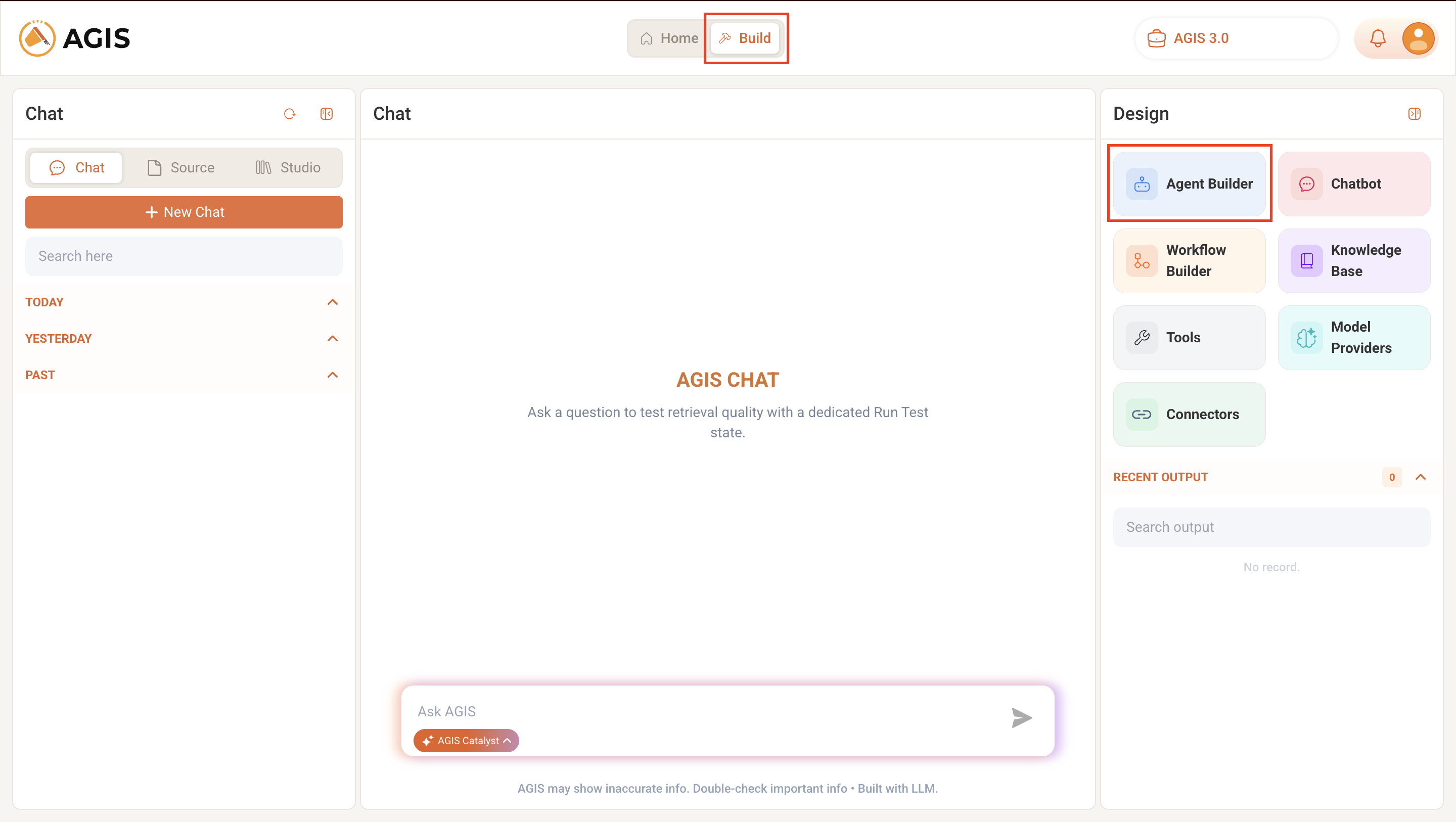
View the Agent List
Once you open the Agent Builder module, the panel on the right shows a list of all the agents currently available in the system.
You can also use the search bar to find a specific agent you need.
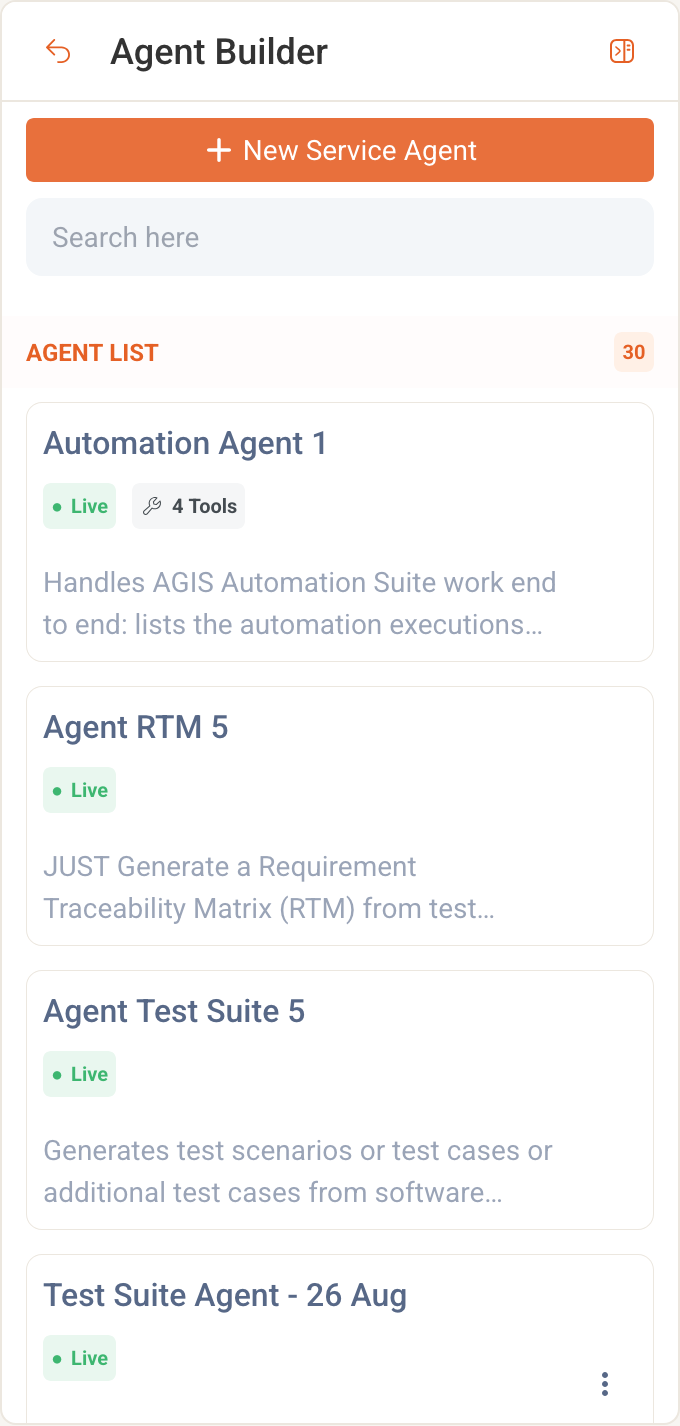
Each agent card displays:
- Name — the agent's name
- Status badge — the agent's status, either
LiveorDraft - LLM Model badge — the LLM model the agent uses
- Tools badge — the number of tools the agent can use
- Description — a description of the agent's capabilities
tip
The API Tests - … agents used for API Test chat generation also appear in this list. If they are missing or not Live, see Generate tests with chat.
